在以前,網頁中的文字只能選擇特定的字型,特別是中文,大致上只有標楷體和細明體及新細明體可用,其他的字型皆不能使用,主要原因是網頁顯示文字,是要看客戶端的系統中是否有該字型檔案,如果沒有該字型檔案,其字型就會顯示內定的字體;所以當你設很多的字型設計網頁,而在自己的電腦上都顯示無誤,自己正高興設計正好,到了其他的電腦上,卻無法顯示你所設定的字體,當然就無法想要用宇體表現你網頁所想表達的美感和事情。
現在CSS3 解決了該問題,其實就是在伺服器放上字體檔案,讓使用者在使用時,可以一併顯示在網頁上,就解決了顯示字型的問題。
不過,當你在載入字體的時候,也可能要考慮字體的版權問題,有時並非是你可公布的字體,這可是要注意一下!以下的範例,不會顯示字體檔的名字,僅以 XXX YYY 代替,請見諒!
雲橙雨林 發表在 痞客邦 留言(0) 人氣(4,217)
字體間距他是改變字與字的間距和詞與詞的間距的設定,主要是使用word-spacing & letter-spacing 兩個參數,橙覺得比較適合用於英文的方式,至於中文好就還好,有時還是會使用,橙主要是用於標題用,讓文字有點距離,讓使用者看起來有重點的感覺,不過,有時候,就用空白鍵就代替了,但是還是來寫一下使用方式吧!
先寫一段html 吧!
<!doctype html>
<html>
<head>
<meta charset="utf-8">
<title>魚和橙</title>
</head>
<body>
<h1>Letter-spacing & Word-spacing</h1>
<p id="line1">The results of a survey <strong>keyword</strong> Friday showed <span>that 70 percent</span> of local <em>salaried employees</em> are hesitant(1) about getting married, citing insufficient(2) savings and job instability as the reasons.魚 橙</p>
<p id="line2">The results of a survey <strong>keyword</strong> Friday showed <span>that 70 percent</span> of local <em>salaried employees</em> are hesitant(1) about getting married, citing insufficient(2) savings and job instability as the reasons.魚 橙</p>
<p id="line3"> The results of a survey <strong>keyword</strong> Friday showed <span>that 70 percent</span> of local <em>salaried employees</em> are hesitant(1) about getting married, citing insufficient(2) savings and job instability as the reasons.魚 橙</p>
<p id="line4"> The results of a survey <strong>keyword</strong> Friday showed <span>that 70 percent</span> of local <em>salaried employees</em> are hesitant(1) about getting married, citing insufficient(2) savings and job instability as the reasons.魚 橙</p>
</body>
</html>
雲橙雨林 發表在 痞客邦 留言(0) 人氣(2,757)
再來介紹的就比較常用了,我們經常在使用文字想要加上該文字的陰影,都必須用圖形來替代,現在新版的css3 的語法中,有一個指令可以將該文字都變成了有陰影的文字,但是該語法為css3的語法,所以就有了相容性的問題,也就是說,如果使用者的瀏覽器版本較舊,就看不出效果了!所以,也是要注意的。
可使用的瀏覽器版本:
雲橙雨林 發表在 痞客邦 留言(1) 人氣(573)

文章中,總是要列出一些要點、清單,讓文章使人更能表達作者要表達的大綱,所以橙子要來說明有3個列表清單方式供大家使用!
列表清單包含有3種:
1.無序清單-ul:意思為沒有序號別,前面是圓形(預設)、方形、菱形...等,各種形狀做分別
雲橙雨林 發表在 痞客邦 留言(0) 人氣(520)
我們在word 常用底線來說明此文字的重要性,而在網頁中底線是拿來提醒使用者,這裡是有連結的意思(設連結時,自動加底線),此處不說連結,而是來說明文字如果要加入底線或刪除線的用法!CSS 提供了 text-decoration的屬性,來給文字加點修飾。
先來寫html 吧!
<!doctype html>
<html>
<head>
<meta charset="utf-8">
<title>魚和橙</title>
</head>
<body>
<h1>Text Decoration</h1>
<p id="line1"> This is underline </p>
<p id="line2"> This is overline </p>
<p id="line3"> This is line-through </p>
</body>
</html>
雲橙雨林 發表在 痞客邦 留言(0) 人氣(2,059)
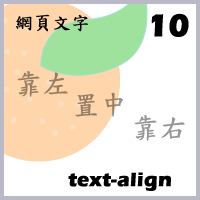
改變文章段落對齊,是文章中常用的方式,可以利用text-align 來做設定,他的屬性有 left、right、justify、center,分別為靠左、靠右、左右對齊、置中。
寫段html 吧!
<!doctype html>
<html>
<head>
<meta charset="utf-8">
<title>魚和橙</title>
</head>
<body>
<h1>text-align</h1>
<p id="line1">The results of a survey <strong>keyword</strong> Friday showed <span>that 70 percent</span> of local <em>salaried employees</em> are hesitant(1) about getting married, citing insufficient(2) savings and job instability as the reasons.魚 橙</p>
<p id="line2">The results of a survey <strong>keyword</strong> Friday showed <span>that 70 percent</span> of local <em>salaried employees</em> are hesitant(1) about getting married, citing insufficient(2) savings and job instability as the reasons.魚 橙</p>
<p id="line3"> The results of a survey <strong>keyword</strong> Friday showed <span>that 70 percent</span> of local <em>salaried employees</em> are hesitant(1) about getting married, citing insufficient(2) savings and job instability as the reasons.魚 橙</p>
<p id="line4"> The results of a survey <strong>keyword</strong> Friday showed <span>that 70 percent</span> of local <em>salaried employees</em> are hesitant(1) about getting married, citing insufficient(2) savings and job instability as the reasons.魚 橙</p>
</body>
</html>
雲橙雨林 發表在 痞客邦 留言(0) 人氣(4,412)
我們有時候打文章時,每個文章的行距有時設置的過於緊,會造成閱讀者看得很不舒服,所以,我們會想把行距拉大一點,讓閱讀者能看得舒服一點,這時候就要利用line-height 的屬性,來讓句子行距增加或減少。
先來寫個html吧!
<!doctype html>
<html>
<head>
<meta charset="utf-8">
<title>魚和橙</title>
</head>
<body>
<h1>line-height</h1>
<p id="line1">The results of a survey <strong>keyword</strong> Friday showed <span>that 70 percent</span> of local <em>salaried employees</em> are hesitant(1) about getting married, citing insufficient(2) savings and job instability as the reasons.魚 橙</p>
<p id="line2">The results of a survey <strong>keyword</strong> Friday showed <span>that 70 percent</span> of local <em>salaried employees</em> are hesitant(1) about getting married, citing insufficient(2) savings and job instability as the reasons.魚 橙</p>
<p id="line3"> The results of a survey <strong>keyword</strong> Friday showed <span>that 70 percent</span> of local <em>salaried employees</em> are hesitant(1) about getting married, citing insufficient(2) savings and job instability as the reasons.魚 橙</p>
<p id="line4"> The results of a survey <strong>keyword</strong> Friday showed <span>that 70 percent</span> of local <em>salaried employees</em> are hesitant(1) about getting married, citing insufficient(2) savings and job instability as the reasons.魚 橙</p>
</body>
</html>
雲橙雨林 發表在 痞客邦 留言(0) 人氣(3,935)

一般而言,我們在使用英文時,其實在打字的時候,就已經過會分大小寫了,而在中文的世界裡,中文是無大小寫的,所以使用上,其實不是太多,但有些時候,我們在編寫英文網頁的時候,因某種需求或要求,你必須將所有文章改成一致大寫或小寫,也許可以用WORD 複製貼上轉換一下就可以了,但如果文章的數量較外龐大,光是用CTRL+C 和 CTRL+V ,你的手就夠累的,還是來介紹一下唄!
來寫HTML 吧!
<!doctype html>
<html>
<head>
<meta charset="utf-8">
<title>魚和橙</title>
</head>
<body>
<articleclass="a1">
<h1>This is my font</h1>
<p>The results of a survey <strong>KEYWORD</strong> Friday showed <span>that 70 percent</span> of local <em>salaried employees</em> are hesitant(1) about getting married, citing insufficient(2) savings and job instability as the reasons. </p>
</article>
</body>
</html>
雲橙雨林 發表在 痞客邦 留言(0) 人氣(285)
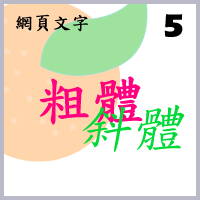
在粗體和斜體的設定中,斜體有<em>及<i>,<em>表示強調內容,<i>表示斜體字,粗體有<h1>~<h6>、<strong>、<th>、<b>,<h1>~<h6>為標題標籤,<strong>為重要內容,<th>為表格標題標籤,<b>為粗體字,可用以上的方式表達粗體及斜體。
雲橙雨林 發表在 痞客邦 留言(2) 人氣(7,997)
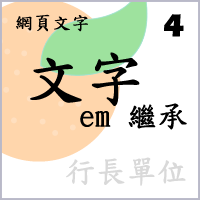
當我們在設定網頁文字大小的時候,如果是使用像素大小的用法,就無須考慮繼承的問題,如果是用關鍵字 、百分比(%)和或行長單位(em)就必須考慮繼承的問題,他們受到父類的設定文字大小,進而影響子類的文字大小,以下我們用行長單位(em)來做說明,先來寫段html吧!
<!doctype html>
<html>
<head>
<meta charset="utf-8">
<title>魚和橙</title>
</head>
<body>
<article class="a1">
<h1>this is my font style</h1>
<p>The results of a survey <strong>published</strong> Friday showed that 70 percent of local salaried employees are hesitant(1) about getting married, citing insufficient(2) savings and job instability as the reasons.
</p>
</article>
<article class="a2">
<h1>this good page</h1>
<p> Meanwhile, 58 percent of those <strong>polled</strong> said they need at least NT$1 million (US$33,343.3) in savings before they will decide to walk down the aisle(3), while 92 percent said money can help strengthen their romantic relationships.
</p>
</article>
</body>
</html>
雲橙雨林 發表在 痞客邦 留言(2) 人氣(259)